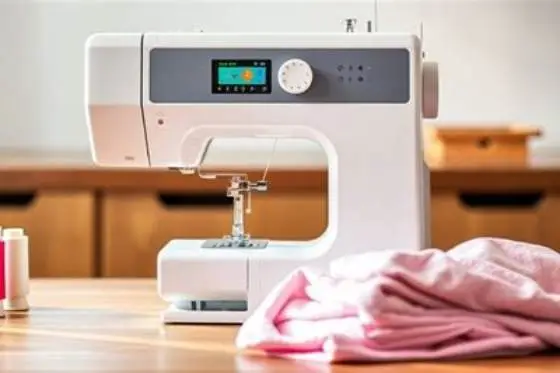
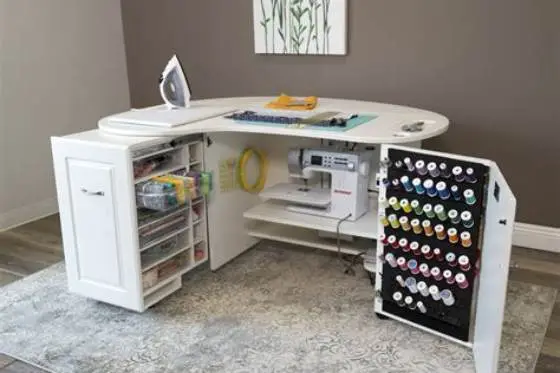
Which embroidery machine fits your home or small business needs
Choose an embroidery machine with a minimum 4x4 inch embroidery field and easy-to-use controls for home or small business use. For hat embroidery, the machine must support cap frames specifically. Beginners benefit from user-friendly interfaces and preloaded designs.
On this page (8 sections)
- The short version
- Which embroidery machine fits your home or small business needs
- Which machine works best for home business use
- Which embroidery machine suits beginners
- Which machine handles hat embroidery best
- Which machine fits small business demands
- How to choose your embroidery machine
- Still wondering?
Key figures
- Embroidery field
- 4x4 inches minimum
- Max thread colors
- up to 15
- Hat embroidery
- special cap frame required
- Beginner features
- touchscreen, tutorials
- Speed
- up to 800 spm (stitches per minute)
The short version
- Embroidery field size of 4x4 inches or larger suits most home and small business projects.
- Machines with dedicated hat embroidery capabilities handle curved surfaces better.
- Beginner-friendly models feature touchscreen controls and simple design editing.
- Small business needs include speed, multi-needle setups, and connectivity for design import.
- Check machine hoop compatibility before purchase to match your project types.
Which embroidery machine fits your home or small business needs
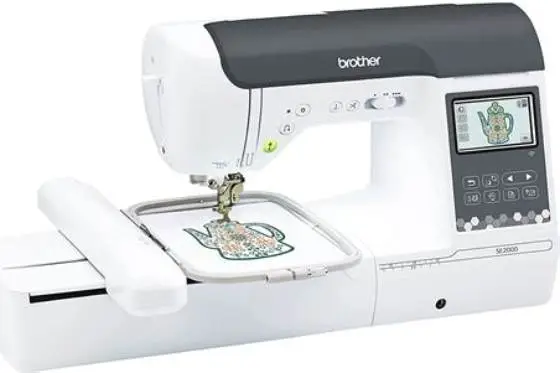
Look for a machine with at least a 4x4 inch embroidery area to handle a broad range of projects. This size covers most home crafts and small business designs, giving room for decorative motifs and logos.
Speed matters if you plan to run a small business. Machines that stitch around 700 to 800 stitches per minute (spm) help finish orders faster without sacrificing quality.
Multi-needle machines, typically with 6 to 15 needles, reduce thread changes and speed up production. They fit small businesses with moderate volume better than single-needle units.
Beginners should pick machines with intuitive controls like touchscreen interfaces, built-in tutorials, and preloaded designs. This reduces the learning curve and frustration. People in this spot often ask about preventing jams and skipped stitches as well.
Hat embroidery requires a machine that accepts a cap frame attachment to hold the curved surface securely during stitching. Not all home or business machines offer this.
Which machine works best for home business use
A home business embroidery machine should balance speed, multi-needle capability, and ease of use. A 6 to 10 needle multi-needle machine with at least a 5x7 inch hoop meets most home business demands.
Connectivity features like USB ports or wireless options let you import custom designs quickly. This flexibility is essential in small production runs and customization. There is more on tables supporting large quilts in a separate guide.
Built-in automatic thread cutters and thread sensors minimize downtime and thread waste, improving workflow efficiency.
You'll want a machine rated for 600 to 800 spm to finish orders without long delays. Lower speeds are frustrating when volume picks up.
Machines geared for home business usually weigh under 25 pounds, making moving or storing easier in a home environment. It helps to understand handling 4x4 inch hoops before going further.
- Multi-needle: 6 to 10 needles for efficiency
- Hoop size: 5x7 inches or larger for versatility
- Connectivity: USB or Wi-Fi for design transfer
- Thread management: auto cutters and sensors
- Speed: 600-800 spm for moderate production
Which embroidery machine suits beginners
Beginners benefit from simple, easy-to-learn machines. Prioritize a machine with a 4x4 inch embroidery area, touchscreen control, and preloaded designs.
Look for models with step-by-step tutorials and troubleshooting guides built into the interface. This helps avoid common mistakes like tension issues and skipped stitches.
Features like automatic needle threading and thread tension adjustment save time and reduce frustration. These usually appear on beginner-friendly machines. For the detail, see our notes on best hat embroidery machine.
A machine with fewer needles, commonly a single-needle or 2-needle setup, is easier to maintain and learn on.
Compact and lightweight machines fit nicely on a home sewing table without taking up too much space.
Some beginner machines offer stitch simulation on the screen, letting you preview the embroidery path before stitching. This feature helps avoid mistakes and fabric waste. There is more on beginner embroidery machine in a separate guide.
Example: a machine with a 4x4 hoop and 200 preloaded designs can let you test different looks without extra supplies. It shows the stitch order and colors, so you know exactly what happens when you start.
Check the manual for maintenance tips aimed at beginners. Machines that guide you through routine cleaning steps and needle changes keep stitching smooth and avoid skipped stitches. This support builds confidence early on.
Clear advice on which embroidery machine fits your exact home or small business needs, including hats and beginners.
Which machine handles hat embroidery best
Hat embroidery requires a machine that supports a cap frame attachment to stabilize the curved surface during stitching. We cover when to upgrade to a bigger hoop in its own article.
Look for machines with specialized hardware to accommodate the cap frame and software allowing design placement on curved areas.
Hoop sizes for flat embroidery won't work for hats; dedicated hat frames are typically smaller or shaped to fit the crown or bill.
Multi-needle machines with cap frame compatibility let you stitch multi-color hat designs without frequent thread changes.
If your work includes lots of hats, prioritize machines explicitly marketed with hat embroidery features rather than adapting flat embroidery machines.
A typical cap frame holds hats firmly but requires careful hooping to avoid fabric puckering. Practice makes perfect here. You might try stabilizers designed for hats to improve stitch quality.
Speed is important too. Machines stitching at 700 spm let you finish hats faster. Slower machines cause thread breaks when stitching dense designs on curved surfaces.
Some machines allow previewing or adjusting design placement on the curved hat surface. This software feature prevents off-center logos or distorted images, which are common problems without it.
- Cap frame: mandatory for hat embroidery
- Design placement: software must support curves
- Needle count: multi-needle reduces thread changes
- Hoop size: specialized for hats, not flat fabric
- Purpose-built models handle hats best
Which machine fits small business demands
Small business embroidery demands machines with a multi-needle setup (6-15 needles), fast stitching speed, and large hoops (minimum 5x7 inches). These features handle greater volume and complex designs.
Connectivity options like USB and Wi-Fi let you import large or custom design libraries quickly, an essential for diverse client requests.
Robust thread sensors, automatic tension, and thread cutters reduce errors and downtime, saving money over time.
Machines with a touchscreen interface that supports design editing directly on the machine speed up quick adjustments and proofs.
Some small business machines allow linking multiple units for increased productivity, but this usually exceeds beginner or home user needs.
| Feature | Minimum Specification | Why it matters |
|---|---|---|
| Needle count | 6 to 15 needles | Faster multi-color stitching without thread changes |
| Hoop size | 5x7 inches or larger | Accommodates larger designs and logos |
| Speed | 700-800 stitches per minute | Improves productivity |
| Connectivity | USB or Wi-Fi | Allows quick design transfer and updates |
| Thread management | Auto cutters and sensors | Reduces errors and waste |
- High productivity
- Large design capability
- Multi-color efficiency
- Custom design import
- Higher cost
- More complex setup
- Requires space
- Learning curve for software
How to choose your embroidery machine
First, measure your typical design size and project types to determine needed hoop size. If hats or large items dominate, choose machines accordingly.
Next, decide your needle count based on color changes in your work. Multi-needle machines save hassle and time but cost more.
Check connectivity if you want to import designs. USB ports are standard, but wireless options add convenience.
Consider ease of use and support materials, especially if you're a beginner. Touchscreens and tutorials help immensely.
Read user reviews for reliability and service support in your area. A machine that sits idle due to poor support is a bad investment.
Some machines include embroidery design editing software with purchase, which helps customize designs before stitching. Check if the software supports the file formats you plan to use.
If you plan on working with multiple users, consider machines with user profiles or memory slots. This lets different people save their preferred settings and designs, speeding up switching between projects.
Warranty length and access to replacement parts come into play when choosing a machine. A longer warranty and good local service save money and hassle if repairs are needed.
- Measure typical embroidery size to select hoop size.
- Determine needle count needed for your projects.
- Check connectivity options for design transfers.
- Choose user-friendly models with good tutorials.
- Investigate machine reliability and local support.
Pick a 6-needle, 5x7 inch hoop machine with cap frame support for versatile home or small business embroidery.
Still wondering?
Can I use a regular sewing machine for embroidery?
Regular sewing machines can do simple monogramming but lack the precision, hoop support, and software for complex embroidery. Dedicated embroidery machines give better results.
Is multi-needle essential for a home user?
No, but multi-needle machines speed up stitching by reducing thread changes. Single-needle machines suit beginners or occasional users well.
How do I know if a machine does hat embroidery?
Check if it supports a cap frame attachment and software that adjusts designs for curved surfaces.
Are touchscreen machines better for beginners?
Yes, touchscreens simplify design selection, editing, and navigation, making it easier for new users to learn.
What maintenance do embroidery machines need?
Regular cleaning of lint, timely needle replacement, and proper threading prevent skipped stitches and thread nests.